Back to home
Technology

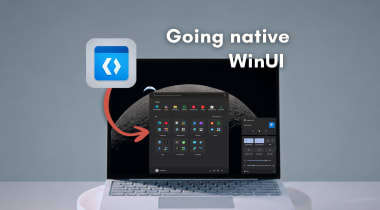
Windows 11 is getting a modern Windows Run (Win+R) built with WinUI 3, and it might get new features

Source

Windows Latest

Published

TL;DR

AI Generated

Microsoft is introducing a modern Windows Run (Win+R) feature in Windows 11, built with WinUI 3 and featuring Fluent Design elements like rounded corners. This new Run dialog will be optional and may include new functionalities in the future. While the existing legacy Run dialog will remain, users can manually switch to the new version through Settings. This move is part of Microsoft's efforts to modernize Windows 11's design, starting with the Run feature, which has remained largely unchanged since Windows 95.
Read Full Article

Similar Articles

Microsoft confirms Windows 11 Start menu performance boost, shift to WinUI from web-based components

Microsoft confirms Windows 11 Start menu performance boost, shift to WinUI from web-based components

Microsoft is enhancing Windows 11's performance by transitioning features and apps to WinUI from web-based components, aiming to reduce latency and improve responsiveness. The Start menu will see improvements as React components are replaced with WinUI, addressing issues related to speed and latency. By moving to WinUI, Microsoft aims to streamline the UI infrastructure, reduce interaction latency, and enhance overall performance. This shift aligns with Microsoft's 2026 roadmap to prioritize performance, reliability, and consistency in Windows 11.

Windows Latest
Windows 11 KB5077241 adds Internet speed test, direct download links for offline installers (.msu)

Windows 11 KB5077241 adds Internet speed test, direct download links for offline installers (.msu)

Windows 11 KB5077241 introduces new features like Emoji 16 and a built-in network speed test tool on the taskbar. Microsoft has provided direct download links for offline installers of this update. The update is optional and labeled as a preview update, but it offers similar fixes to the upcoming Patch Tuesday update. The update includes improvements like Emoji 16 support, a network speed test tool, and the Sysmon tool for monitoring computer activities. The update also brings new features like pan/tilt controls for cameras, a full-page Widgets settings experience, and WebP support for desktop wallpapers.

Windows Latest
Microsoft tests a Windows 11 taskbar feature that lets AI see your open apps when you share window

Microsoft tests a Windows 11 taskbar feature that lets AI see your open apps when you share window

Microsoft is testing a new Windows 11 taskbar feature that allows AI to access your open apps when you share a window. This feature, called "Share any window from my taskbar with virtual assistant," enables supported apps like Copilot and Microsoft 365 Copilot to directly access selected windows from the taskbar interface. The goal is to streamline the process of sharing app windows with AI assistants without manual screen sharing. This aligns with Microsoft's broader plan to make Windows an Agentic OS, with the taskbar becoming a dynamic hub for AI. The feature is part of Microsoft's efforts to enhance the taskbar's functionality in the AI era, allowing users to choose which virtual assistant apps can request access to open windows.

Windows Latest
Microsoft says 2026 is the moment for AI PCs, touts Windows 11 Recall, Copilot, and “the highest standard” of security

Microsoft says 2026 is the moment for AI PCs, touts Windows 11 Recall, Copilot, and “the highest standard” of security

Microsoft is emphasizing that 2026 is the year for AI PCs, highlighting features like Windows 11 Recall and Copilot as well as top-notch security standards. The company is promoting Copilot+ PCs as faster and more advanced than older models, with a focus on productivity and gaming capabilities. Windows 11 is optimized for new AI features like Recall AI, which captures screen activity, and Microsoft suggests looking for these features when purchasing an AI PC. Despite some controversy surrounding features like Recall, Microsoft maintains that AI integration in Windows 11 enhances user experience and security, positioning AI PCs as the future of computing.

Windows Latest

We use cookies

We use cookies to ensure you get the best experience on our website. For more information on how we use cookies, please see our cookie policy.