Back to home
Technology

Microsoft teases new customization features for Windows 11’s Start menu after years of criticism

Source

Windows Latest

Published

TL;DR

AI Generated

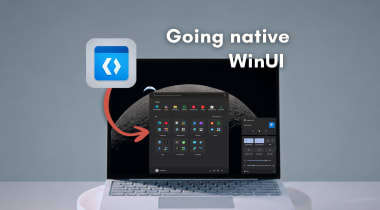
Microsoft is addressing criticism of Windows 11's Start menu by teasing new customization features. Users have expressed frustration with the lack of control over the Start menu's appearance, particularly the inability to customize categories. Microsoft has experimented with various Start menu designs, some of which were shared but never implemented. The company's design team is working on new customization options to improve the Start menu experience. Additionally, Microsoft is planning to transition the Start menu to WinUI from React native for better performance.
Read Full Article

Similar Articles

Windows 11 April update now reveals if Secure Boot 2023 certificate is applied to your PC

Windows 11 April update now reveals if Secure Boot 2023 certificate is applied to your PC

The Windows 11 April 2026 Update introduces the ability to check if the Secure Boot 2023 certificate is applied to your PC, crucial for protecting against boot-level malware. Microsoft confirms that older certificates will be replaced with Secure Boot 2023 via Windows Update. The Windows Security app now displays the Secure Boot certificate status under the 'Device Security' tab, ensuring users can easily verify if their certificates are updated. The update is rolling out gradually and should be available on most PCs by the end of April 2026. Users can check their Secure Boot status in Windows Security to ensure their devices are fully protected.

Windows Latest
Microsoft continues to improve Windows 11 with storage menu fixes and changes to FAT32

Microsoft continues to improve Windows 11 with storage menu fixes and changes to FAT32

Microsoft is making continuous improvements to Windows 11, including reducing Copilot integration in native apps like Notepad and cleaning up Control Panel settings. In the latest Insider Preview build, changes have been made to storage management features, such as removing the 32GB limit on FAT32 volumes and increasing it to 2TB. Additionally, the Storage menu now loads faster and is more responsive with the removal of the UAC prompt. Microsoft aims to enhance the Windows 11 user experience with upcoming improvements to Windows Search and the transition from web apps to native apps.

TweakTown
Microsoft is going after every part of Windows 11’s legacy UI in major design update

Microsoft is going after every part of Windows 11’s legacy UI in major design update

Microsoft is focusing on redesigning all UI elements in Windows 11, including less-used features like the "Installing Windows 11" screen. The company aims to bring a more consistent design to Windows 11 by addressing legacy UI components and improving user experience. Microsoft is also working on migrating Control Panel settings to the Windows 11 Settings app, but faces challenges in ensuring a smooth transition without disrupting power users. These design updates signify a shift towards a more cohesive and modern design language for Windows 11.

Windows Latest
Microsoft confirms Windows 11 KB5083769 issues, BitLocker alert on a few PCs, and multiple reboots for installation

Microsoft confirms Windows 11 KB5083769 issues, BitLocker alert on a few PCs, and multiple reboots for installation

Microsoft has acknowledged issues with Windows 11 KB5083769 update, including triggering BitLocker recovery screen alerts on some PCs and requiring multiple reboots for installation. The update, released in April 2026, may cause errors like 0x800736b3 and 0x800f0991 during installation. Microsoft is investigating reports of the multiple reboots required for installation, possibly due to a .NET Framework update that was rolled out simultaneously. A server-side fix has been implemented to address the BitLocker recovery screen issue caused by an unrecommended BitLocker Group Policy configuration on certain devices.

Windows Latest

We use cookies

We use cookies to ensure you get the best experience on our website. For more information on how we use cookies, please see our cookie policy.